Mahmudul Hossain
Google Ads & Conversion Tracking Specialist
2 October 26
8 min read
Illustration by Fsdm Mahmudul
Performance Max for eCommerce sounds like a dream. You give Google your products, a budget and some images, and it shows your ads on Search, Shopping, YouTube, Gmail, Display and Maps. The problem is that many shop owners switch it on, watch the spend climb, and still cannot tell if it is making any money.
The good news is that Performance Max (often shortened to "PMax") is not a black box you have to accept. It is a machine that follows the signals you give it. Feed it clean data and clear goals, and it can become one of your most profitable campaigns.
In this guide, we walk through the exact setup our team uses for online stores. If you would rather have specialists handle it, our eCommerce ads management service covers everything below.
Performance Max is a Google Ads campaign type that uses automation to decide where your ads show, who sees them and how much to bid. For online stores, it pulls product details from your Google Merchant Center feed. That feed is the list of your products, prices, images and stock levels that Google reads.
Instead of choosing keywords and placements, you give Google:
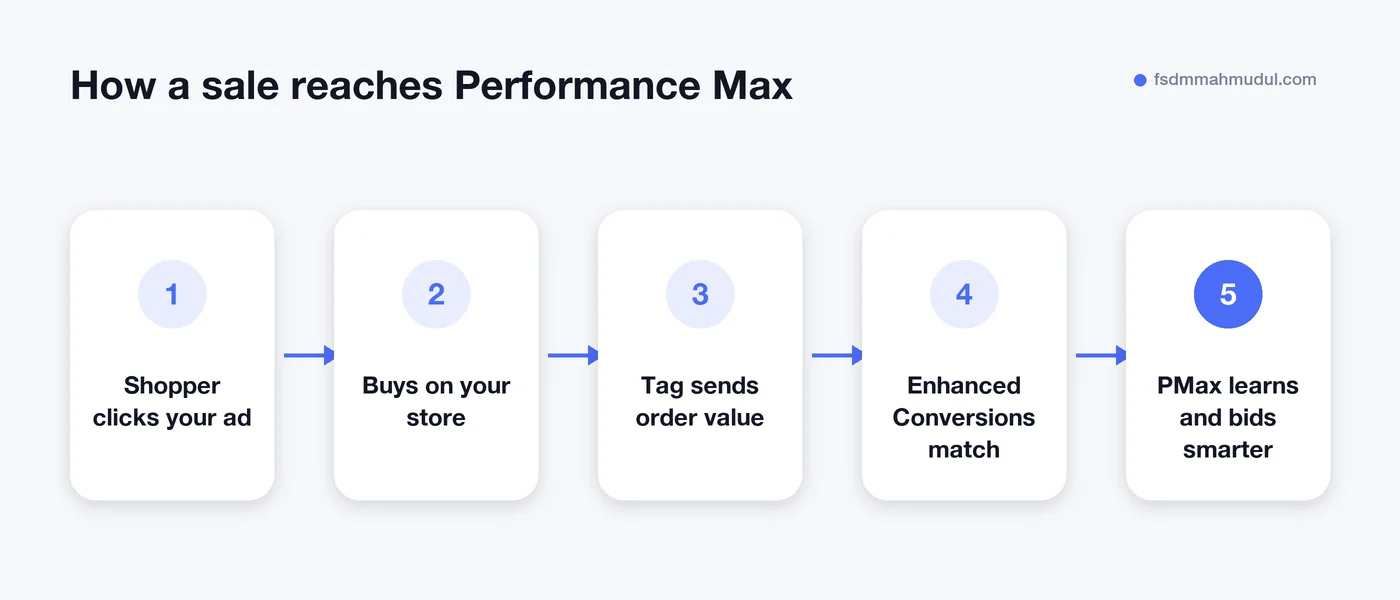
Conversion data matters most. If your tracking is broken, Performance Max will happily optimise towards the wrong thing.
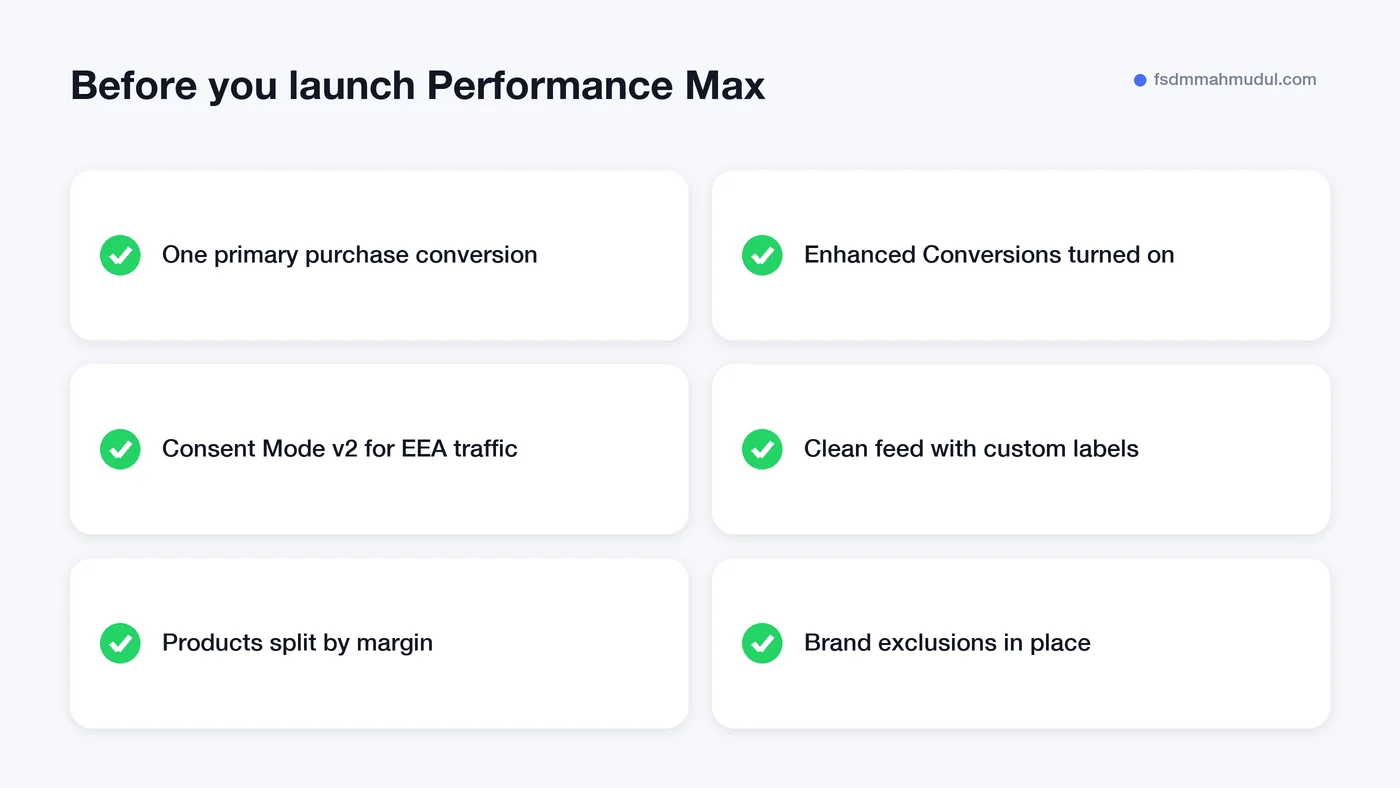
Before you spend a single euro, check that every purchase is recorded correctly in Google Ads. This is where most stores lose money without knowing it.
You can see the tracking side of our work in our Enhanced Conversions project examples, including one account that reached €109K in tracked revenue from €11K ad spend.
Your Merchant Center feed is the shop window for Performance Max. A weak feed means weak ads. Focus on these basics:
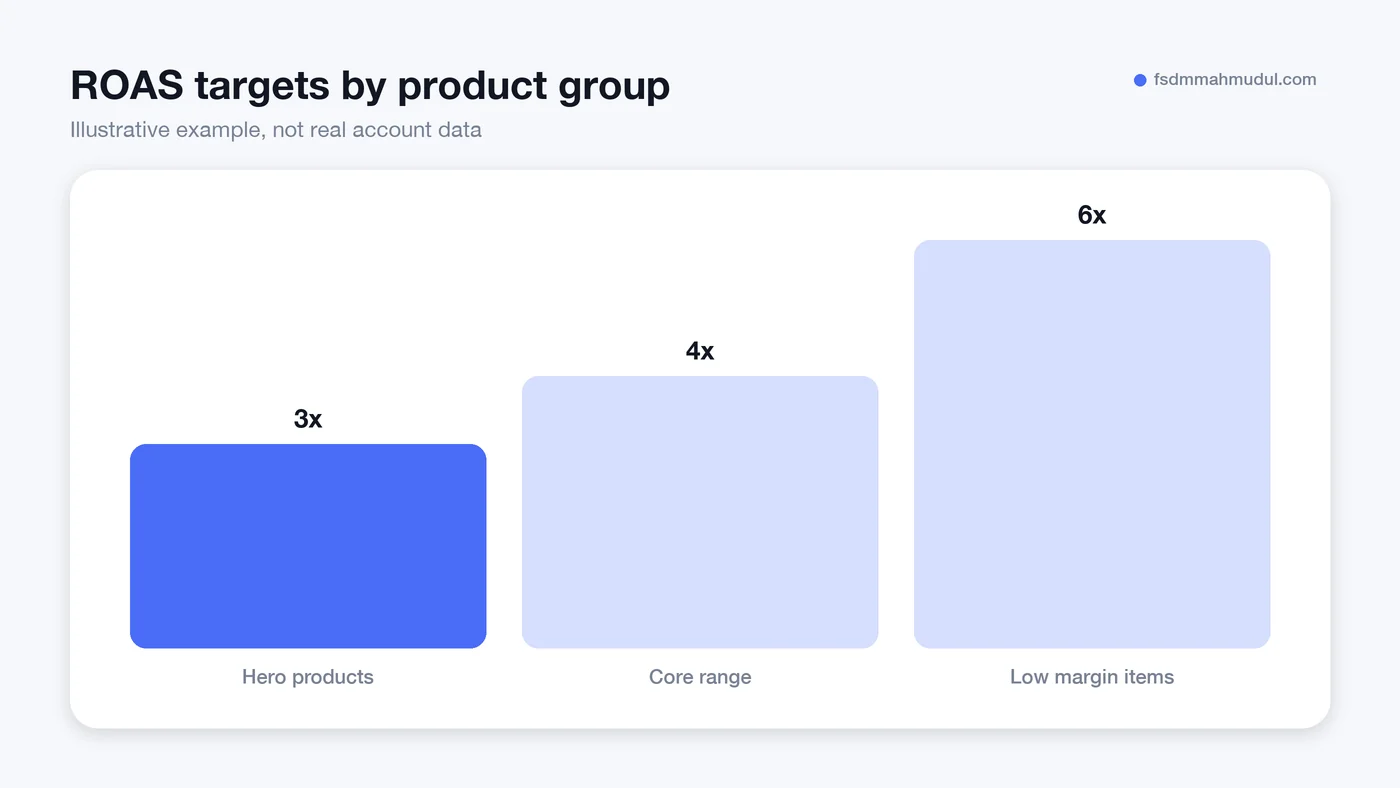
This is the step that turns Performance Max from "busy" into "profitable". Not every product makes you the same money. A 15 euro accessory with a thin margin should not get the same target as a 200 euro product with a healthy margin.
Use custom labels to group products into a few buckets, then run separate campaigns or asset groups for each. A simple setup could look like this:
| Product group | What goes in it | Suggested approach |
|---|---|---|
| Hero products | Best sellers with good margins | Higher budget, realistic ROAS target |
| Core range | Steady sellers, average margin | Standard ROAS target |
| Low margin | Cheap items, thin profit | Higher ROAS target or exclude |
| Zombies | Products with almost no clicks | Separate campaign so they get a chance |
Each group gets a target that matches what you can actually afford to pay for a sale. If you are not sure what that number should be, our guide on how to set a Google Ads budget explains how to work it out from your margins.
An asset group is a bundle of headlines, descriptions, images, videos and audience signals that Performance Max mixes and matches into ads. Treat each asset group like a mini campaign for one theme or product group.
Performance Max loves to show ads to people who were already searching for your shop name. Those sales look great in reports, but many of them would have happened anyway.
To keep the numbers honest:
Performance Max needs a learning period, and results can swing in the first few weeks. Changing things every few days can reset that learning. Wait about two weeks between major edits, and change targets in small steps of around 10 to 20 percent at a time.
These are the problems our team finds most often when we audit online stores:
Yes, as long as tracking is solid and you have enough sales for Google to learn from. With very few sales each month, a tighter campaign with fewer product groups usually works better.
There is no fixed minimum, but the daily budget should comfortably cover several sales at your target cost. If your budget only pays for one sale a week, the campaign will learn slowly. Work it out from your margins and target cost per sale first.
It can make sense for testing or for products you want full control over. Be aware that Performance Max usually wins the auction when both target the same products. Many stores run Performance Max as the main campaign and keep a separate brand Search campaign.
Expect around two to six weeks before results settle, depending on how many sales you get. Judge it on a full month of data, not the first few days.
Performance Max for eCommerce works best when three things are in place: accurate tracking, a clean feed, and targets based on real margins. Get those right and the automation starts working for you, not against you.
Our team has helped 50+ clients over 5+ years, and you can view our Google Ads and Analytics certifications if you want to check our background. If you would like a second pair of eyes on your account, book a free Performance Max audit and we will show you exactly where the money is going.
We can review your current setup and show which issue should be addressed first.
Get My Free AuditHere are answers to the questions people ask us most. Can't find yours? Message us and we usually reply within an hour.

We review your campaigns, tracking or conversion journey, then show you the main issue limiting performance, its business impact and a practical next step.
Yes. Most clients start from $1,000 a month in ad spend. We will tell you honestly if your budget is too small.
A dedicated specialist from our team runs your account day to day, and Mahmudul oversees the strategy and reviews the results. You always have one point of contact, so you never have to chase anyone.
No. Work is month to month and you can cancel any time.
Always. Your accounts, campaigns and tracking stay yours, even if we stop working together.
Wasted spend usually drops in the first 2 weeks. Steady growth shows by month 2 or 3.
Clients in Bangladesh, the US, UK, Canada, Australia and Europe. Our team works across time zones.
Request a free audit or message us on WhatsApp. We confirm the audit is a good fit, share our findings or invite you to a review, then agree the next step with Mahmudul.
Yes. Our tracking specialist checks that every sale, lead and call is counted correctly, because good ads need good data.
Yes. We send clear, simple notes your developer can follow, or our own developer makes the changes for you.
With a team. Mahmudul leads a small group of specialists in ads, tracking, page design and website development. Each person works on what they know best, and Mahmudul checks the work before it reaches you. If someone is away, another team member covers for them, so your work never stops.
You get a simple monthly report showing what we spent, what we got back and what we will do next. Mahmudul reviews every report before it is sent.