Mahmudul Hossain
Google Ads & Conversion Tracking Specialist
4 November 26
7 min read
Illustration by Fsdm Mahmudul
You launch ads for a new collection. Google reports purchases, but when you check your shop, several orders came from a heavily discounted item with little margin left. Meanwhile, customers who click your best-selling jacket ad keep landing on a page where their size is sold out. What would you change first?
You can manage Google Ads AI yourself if you can verify what it counts as a sale, explain which products can afford the ad spend, and make time to review the account. If you struggle with one of those checks, that is where a focused audit or specialist support can help. Here is how to make that call for a clothing, footwear or accessories store.
Google Ads Smart Bidding adjusts bids at auction time based on the conversion or conversion value goal you set. For a fashion store, that might mean bidding toward completed purchases or toward the order value recorded by purchase tracking. The choice matters when your catalogue includes items with very different prices and margins. Google Ads Help explains how Smart Bidding works.
Start by reading the campaign goal and asking yourself what would count as a good result for the business. If a campaign is meant to sell full-price coats, an account-wide rise in purchases tells you little about whether those coats are selling at a sustainable cost. Check the product mix, available sizes and where the ad sends the shopper.
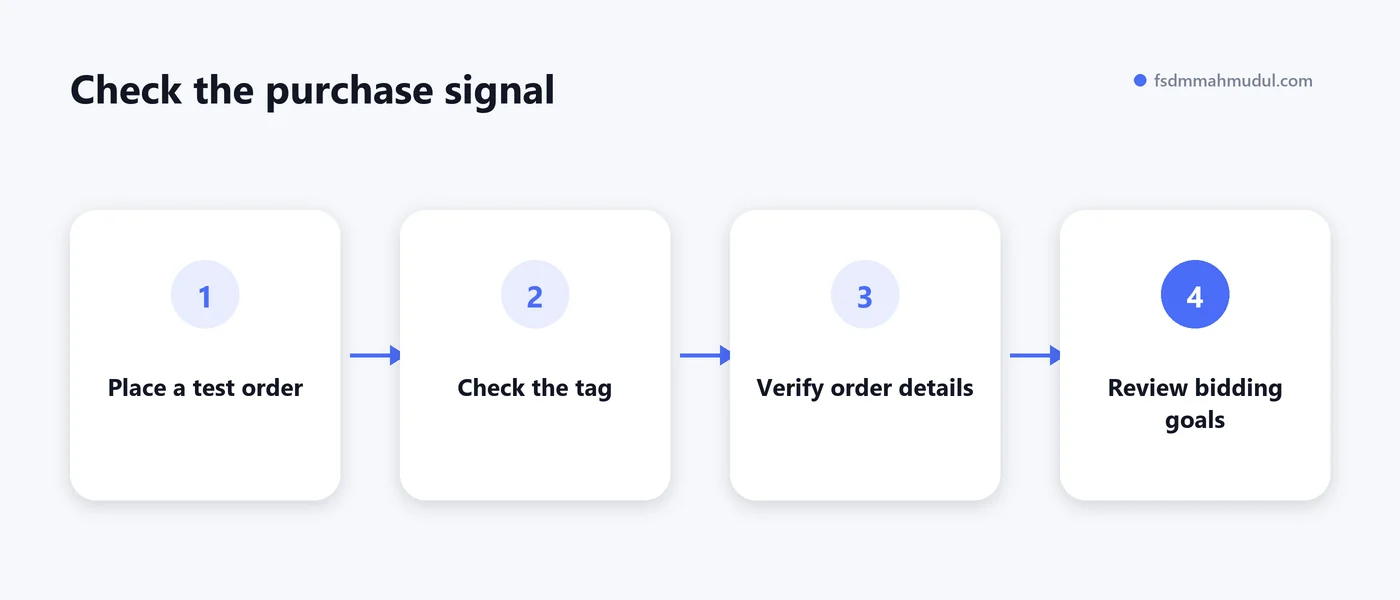
Place a test order through the store. Check that your intended purchase tag fires for a completed order and passes the right order ID, value and currency. Reload the confirmation page and check how your setup prevents a second count. Review the campaign's bidding goals for duplicate purchase actions, especially if the same order is tracked by a Google Ads tag and a GA4 import.
Keep cart and checkout events available for diagnosis. For campaigns bidding toward sales, check that completed purchases are the actions driving bidding. An increase in checkout starts can be a clue to inspect delivery costs, payment options or sizing concerns. The order record tells you whether the shopper completed the purchase.
Start with the amount the store keeps from an order before advertising. Subtract relevant variable costs such as the product cost, payment fees, packing, shipping subsidies and expected returns. If you use revenue after discounts, count the discount once. The amount left gives you a starting point for the maximum ad cost that order could cover before overheads and profit.
Consider a basic T-shirt and a tailored blazer. The blazer might sell for more, yet size exchanges and delivery costs could leave less money available for ads than the price suggests. Review products or collections with different margins separately so a strong account average does not hide a weak line.
Return on ad spend, or ROAS, divides tracked conversion value by ad spend. Compare it with your store's margins and actual order records before deciding what to scale. A revenue figure in Google Ads answers a different question from the profit you keep after fulfilling orders.
Open your own ads' destination URLs on a phone. A shopper looking for black wide-fit boots should be able to find the advertised style, see whether their size is available and check delivery and exchange terms before paying. Compare your feed's price and availability against the product page, especially after a sale ends or popular sizes sell out.
When Search spend rises, review the queries you can see in the Google Ads search terms report. Look for repeat spend on searches your catalogue cannot serve, such as wholesale enquiries when you sell single items. If buyers find the right product but hesitate at sizing or delivery, use the clothing and shoe store product-page guide to check the page.
Give each proposed change a reason. Before applying a suggestion about keywords or bidding, write down which campaign it affects, what you expect to improve and which result you will check. If auto-apply is enabled, review the categories you have switched on and their history. Google explains how to review automatically applied recommendations.
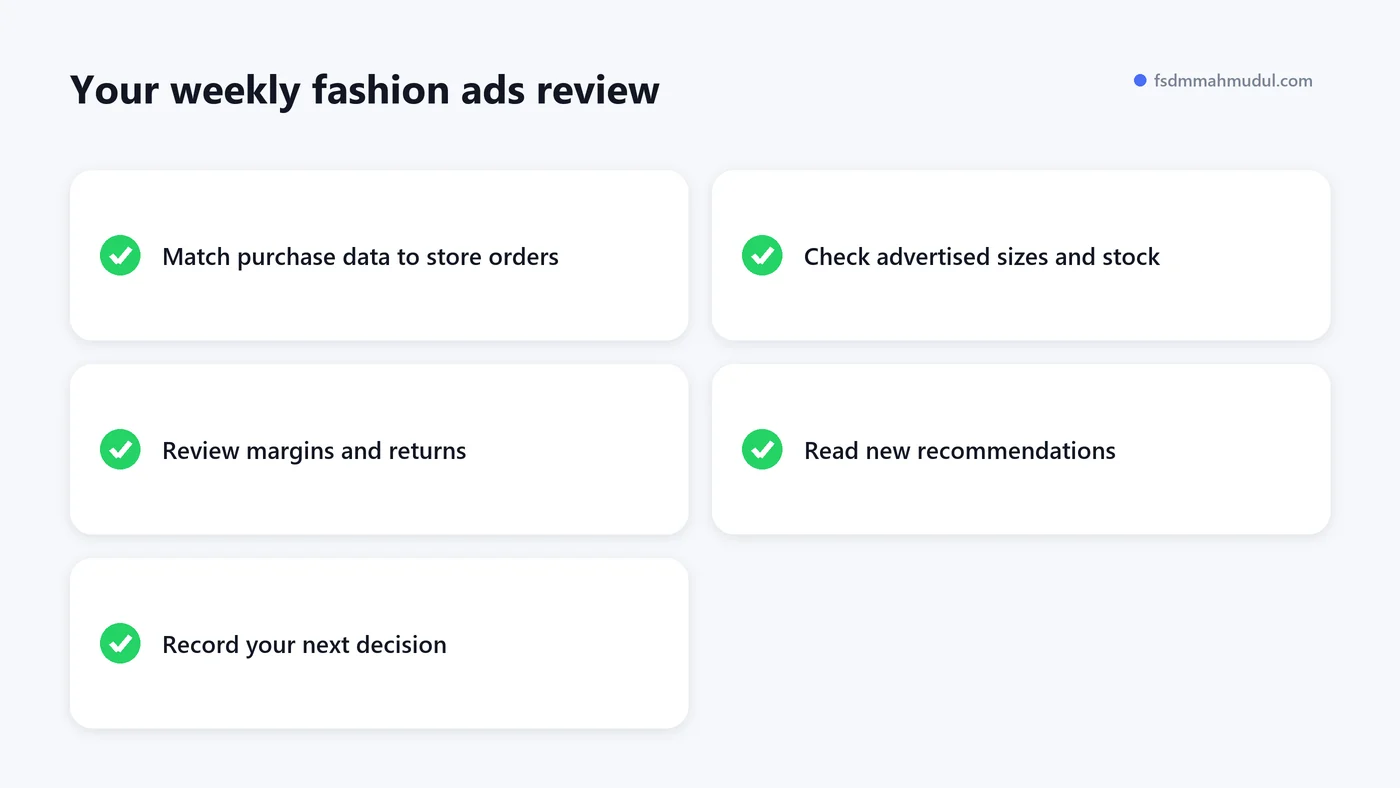
Check whether changes coincide with a promotion, a stockout or orders that have yet to appear in reporting. Record what you changed and when. That makes the next review easier, particularly when a sale weekend and a bidding change happen close together.
Pick one collection with meaningful spend and start with its orders. Work through this table before moving budget between products or campaigns.
| What you see | What to check first | What to do next |
|---|---|---|
| Reported purchases rise while store orders look flat | Purchase events, duplicate tags and reporting periods | Test an order and reconcile the available records |
| A popular style gets clicks while orders slow | Sizes in stock, mobile page and feed availability | Fix the destination or adjust promotion for the affected variants |
| Reported ROAS looks strong while cash from orders is tight | Discounts, fulfilment costs and returned orders | Review contribution after ad spend by product group |
| A recommendation suggests broader reach | Queries, catalogue fit and your budget for testing | Set a clear test limit and define what would justify continuing |
Managing the account yourself makes sense if you have a manageable catalogue, working purchase tracking and a routine for reviewing results. Consider a focused review if you cannot explain why reported sales differ from your store records, if several collections compete for budget, or if changes to bids keep leaving you with the same questions.
Ask what the specialist would check first and how they would verify it. A good starting point is a testable finding, such as a duplicate purchase action or a collection spending on products with limited stock. You can see how I document tracked results and campaign changes in this eCommerce Search Ads case study.
Yes. Start with a clear sales goal, tested purchase tracking and a regular review of spend and store orders. If you can explain your results and have time to act on them, you can manage a straightforward account yourself.
Consider it when purchase values are reliable and you understand the return your products need to cover their costs. Compare the target with recent performance and your margins before applying it to every collection.
Check whether orders are counted correctly, whether your advertised items are available, and whether customers can buy them easily on mobile. Fix the issue most likely to affect your spending decision first.
If you already run Google Ads and want a second pair of eyes on your purchase data, product spend or landing pages, request a free Google Ads audit. I work directly with stores on eCommerce Google Ads management, using the account and store data to decide what to check and improve first.
I can review your current setup and show which issue should be addressed first.
Get My Free AuditHere are answers to the questions people ask me most. Can't find yours? Message me and I usually reply within an hour.
I review your campaigns, tracking or conversion journey, then show you the main issue limiting performance, its business impact and a practical next step.
Yes. Most clients start from $1,000 a month in ad spend. I will tell you honestly if your budget is too small.
I run your account day to day, handle the strategy and review the results. You always have one point of contact, so you never have to chase anyone.
No. Work is month to month and you can cancel any time.
Always. Your accounts, campaigns and tracking stay yours, even if we stop working together.
Wasted spend usually drops in the first 2 weeks. Steady growth shows by month 2 or 3.
Clients in Bangladesh, the US, UK, Canada, Australia and Europe. I work across time zones.
Request a free audit or message me on WhatsApp. I confirm the audit is a good fit, share my findings or invite you to a review, then agree the next step with you.
Yes. I check that every sale, lead and call is counted correctly, because good ads need good data.
Yes. I send clear, simple notes your developer can follow, or I can coordinate specialist development support when needed.
I personally handle Google Ads, conversion tracking and CRO. When needed, I coordinate specialist support for website design, development, maintenance and graphics.
You get a simple monthly report showing what I spent, what I got back and what I will do next. I review every report before it is sent.