Mahmudul Hossain
Google Ads & Conversion Tracking Specialist
4 November 26
6 min read
Illustration by Fsdm Mahmudul
Conversion tracking is the process of recording valuable actions, such as purchases, bookings or enquiries, and connecting them to the marketing that helped bring them in. It helps you see what visitors did after finding your business and which campaigns may deserve more of your budget.
Say you sell shoes online. One ad gets plenty of clicks, while another gets fewer clicks but brings in more orders. If you only look at traffic, the first ad may seem like the winner. Once you track completed orders, you have a better basis for deciding where to spend.
A conversion is an action that matters to your business. The right action depends on what you sell and how customers buy from you.
| Business | Outcome to track | Useful step to measure separately |
|---|---|---|
| Clothing or shoe store | Completed purchase, with order value | Added an item to the cart |
| Local moving company | Successful quote request or confirmed booking | Tapped the phone number |
| Software business | Verified signup or booked demo | Opened the signup form |
Start with the action you would be willing to pay to get. A cart addition can help explain where shoppers drop out. A tap on a phone number can help you understand how visitors prefer to contact you. Keep those actions separate in your reporting so you can tell how many people took the next step.
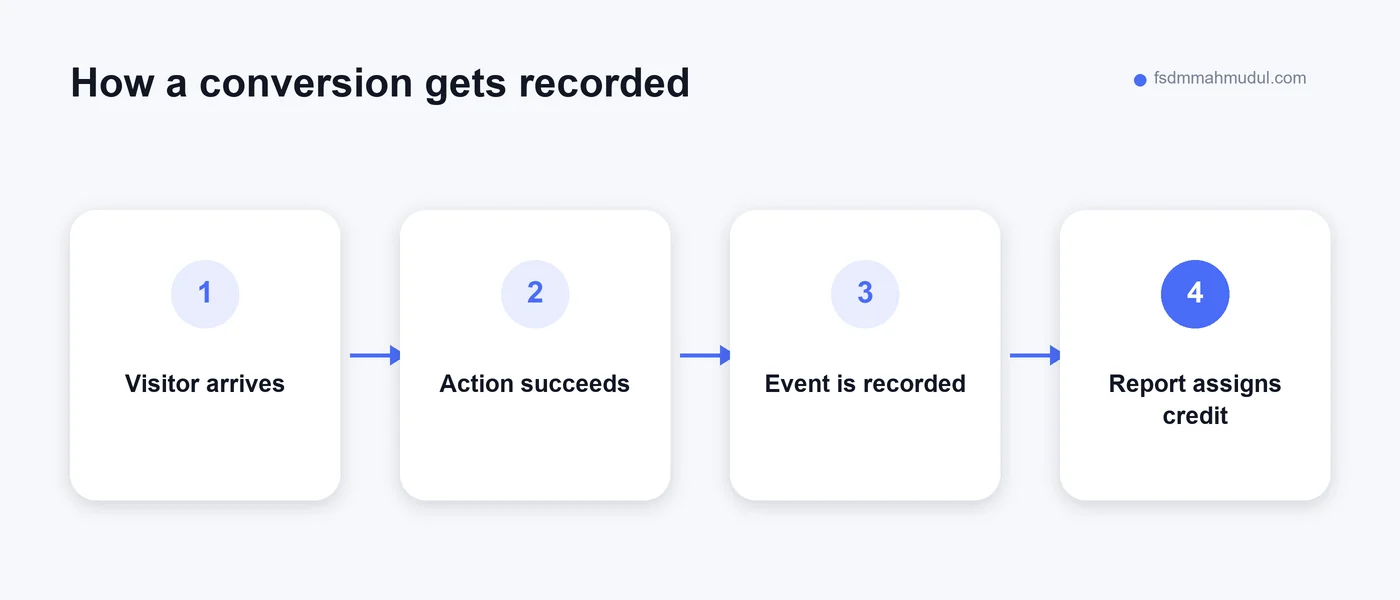
For example, someone might click an ad on Monday and order on Wednesday. Whether the ad gets credit depends on the platform settings and the information it can match. An attributed sale shows that a campaign received credit under those rules. Measuring how many sales the campaign added would require a separate test.
A shopper clicks an ad for running shoes, picks a size and pays. Once the order is confirmed, the store sends a purchase event with the order ID, value and currency. The order ID can help prevent a repeat event, such as one triggered by refreshing the confirmation page, from becoming a duplicate purchase when the platform supports deduplication.
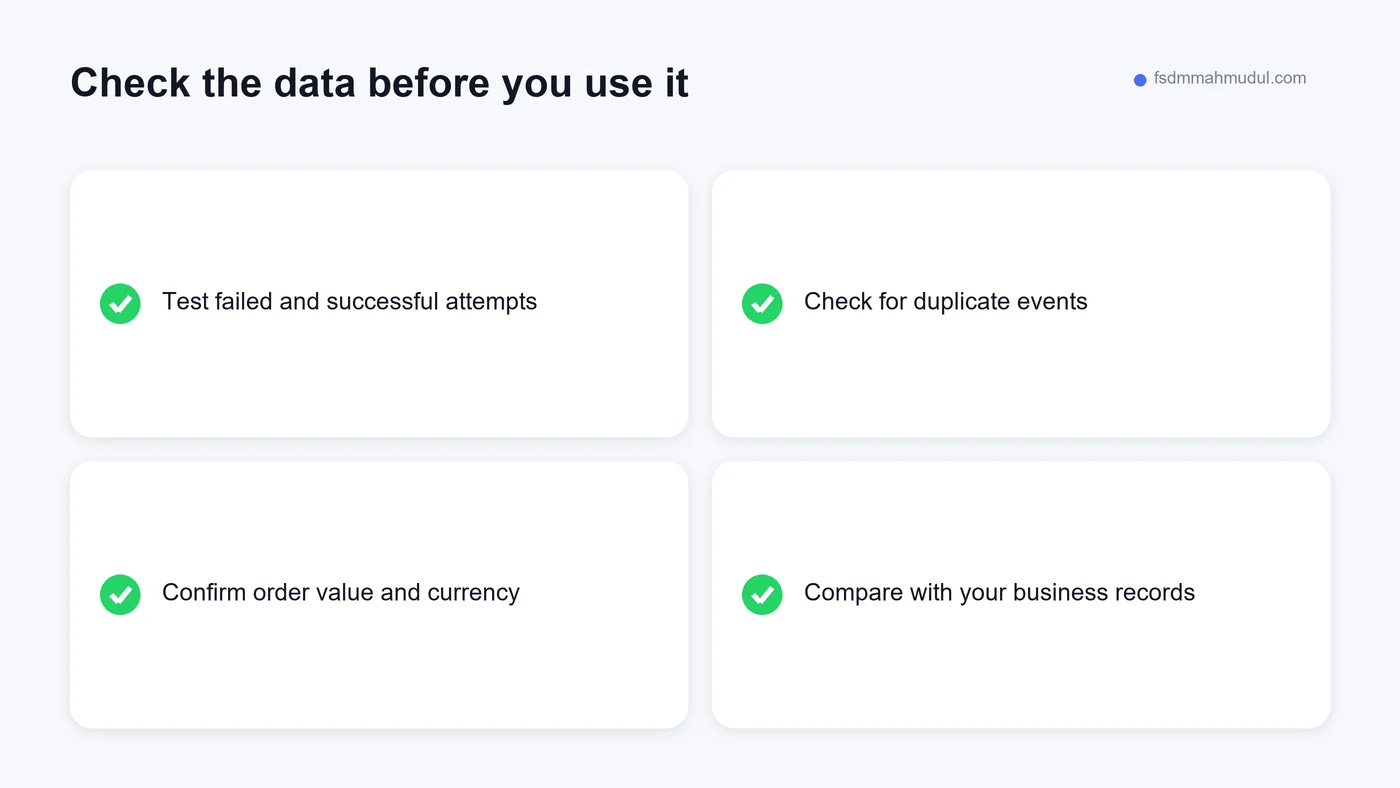
Test with an actual order before you use the reports to set your budget. Compare the event details with the store record. If the value in the report is missing or wrong, a campaign with many small orders can look more valuable than one bringing in fewer, larger orders.
A customer looking for a moving company opens the quote form. They first leave a required field blank and tap Submit. After correcting it, they send the request successfully. This should produce one lead event, when the form accepts the request.
The next question is whether that lead was useful. If your team records which enquiries became qualified leads or booked jobs, you can use those outcomes to judge which campaigns bring in customers. See how this distinction works in a Google Search case study that separates signups from verified email conversions.
Google Analytics 4 (GA4) records events across your site. You can mark actions that matter, such as purchases or submitted enquiries, as key events.
Google Ads reports conversions for your ad campaigns. You can measure an action directly with Google Ads tracking or use a conversion based on a GA4 event after linking the accounts. When campaign goals and bidding settings use that conversion, it can help guide bidding. Google explains how key events and conversions differ.
Google Tag Manager (GTM) helps you manage when tracking tags run and which event details they send. Your store platform or form tool may also provide an integration. Before adding another tag, find out what the site already sends and where it goes. If you are ready to install tracking, follow the step-by-step Google Ads conversion tracking guide.
It depends on what you are measuring. An ad click usually records a visit opportunity. A click-to-call tap can be a useful signal, but it tells you someone tapped the number. Track answered calls or booked jobs separately when you can.
Yes, if you want to know which channels help generate results. You can measure purchases and enquiries from sources such as organic search, email and referrals. Start with the outcomes that matter most to your business.
Your store shows orders across all sources. Google Ads shows conversions credited to your ads under its reporting settings. A gap is expected in many cases. If ad-driven test purchases are missing, check that the right event reaches the right account.
Start with one purchase or lead test and compare what the platform reports with what your store or CRM received. If results are missing, duplicated or hard to explain, see what our conversion tracking service can check. Share your site and the numbers that look wrong when you request a free conversion tracking audit.
I can review your current setup and show which issue should be addressed first.
Get My Free AuditHere are answers to the questions people ask me most. Can't find yours? Message me and I usually reply within an hour.
I review your campaigns, tracking or conversion journey, then show you the main issue limiting performance, its business impact and a practical next step.
Yes. Most clients start from $1,000 a month in ad spend. I will tell you honestly if your budget is too small.
I run your account day to day, handle the strategy and review the results. You always have one point of contact, so you never have to chase anyone.
No. Work is month to month and you can cancel any time.
Always. Your accounts, campaigns and tracking stay yours, even if we stop working together.
Wasted spend usually drops in the first 2 weeks. Steady growth shows by month 2 or 3.
Clients in Bangladesh, the US, UK, Canada, Australia and Europe. I work across time zones.
Request a free audit or message me on WhatsApp. I confirm the audit is a good fit, share my findings or invite you to a review, then agree the next step with you.
Yes. I check that every sale, lead and call is counted correctly, because good ads need good data.
Yes. I send clear, simple notes your developer can follow, or I can coordinate specialist development support when needed.
I personally handle Google Ads, conversion tracking and CRO. When needed, I coordinate specialist support for website design, development, maintenance and graphics.
You get a simple monthly report showing what I spent, what I got back and what I will do next. I review every report before it is sent.