Mahmudul Hossain
Google Ads & Conversion Tracking Specialist
4 October 26
7 min read
Illustration by Fsdm Mahmudul
Your Google Ads account probably shows fewer sales than your shop actually makes. Some of that gap comes from blocked cookies, people switching devices and stricter browsers. Enhanced conversions for Google Ads are Google's way of closing part of that gap.
This guide explains what enhanced conversions are, whether they are safe, and how to turn them on step by step. It is the kind of setup our conversion tracking service handles every week, but you can do it yourself with the steps below.
Standard conversion tracking works with cookies. When someone clicks your ad, a small file in their browser remembers the click. When they buy, the tag reads that file and tells Google Ads which ad led to the sale.
The trouble is that cookies get blocked, deleted or never set. Someone might click your ad on their phone and buy later on a laptop. In those cases, the sale happens but Google never connects it to the ad.
Enhanced conversions add a second way to match. When a customer buys or submits a form, the tag also sends details they typed in, such as their email address. Those details are scrambled first with a method called SHA-256 hashing. Google then matches the scrambled data against signed-in Google accounts to find the ad click.
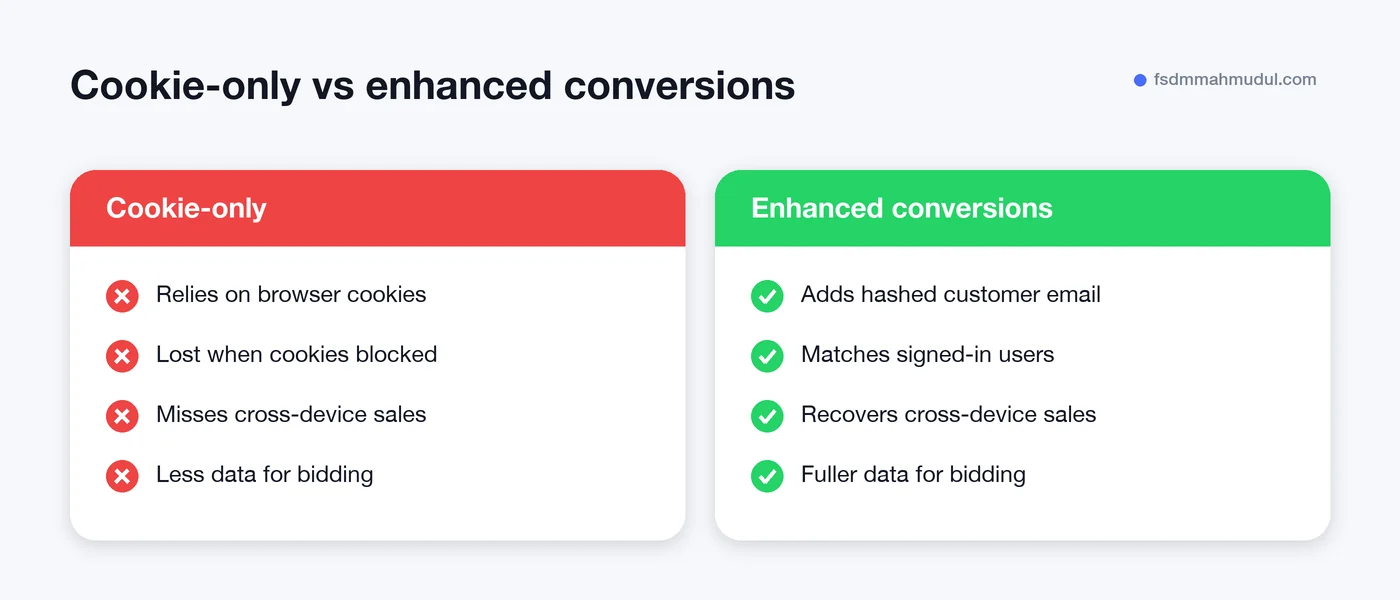
More matched conversions help in two ways:
We will not promise a set uplift. The gain depends on your audience, your device mix and how much data your checkout collects. But for most shops and lead-gen sites, it is one of the simplest tracking upgrades available.
This is the first question most owners ask, and it is a fair one.
Hashing turns an email like "[email protected]" into a long string of random-looking characters. The same email always produces the same string, which is how matching works. But the string cannot be turned back into the email. With the Google tag, this hashing happens in the visitor's browser before anything is sent.
There are still a few rules to follow:
Enhanced conversions sit on top of normal tracking. They do not replace it. If you have not set up basic tracking yet, start with our guide on how to set up Google Ads conversion tracking.
| Requirement | Why it matters |
|---|---|
| A working conversion action | Enhanced conversions improve an existing tag, not a new one |
| Customer data on the page | The email or phone must be available when the tag fires |
| Access to Google Tag Manager or site code | To pass the customer data to the tag |
| Updated privacy policy | Required under Google's customer data terms |
| Consent Mode v2 (EEA traffic) | Required to use data from EEA visitors |
There are three ways to set it up: the Google tag, Google Tag Manager or the Google Ads API. Most small businesses and shops use one of the first two. We will cover Tag Manager in detail, as it is the most common.
If you use the Google tag directly instead, you pass the same details with a user_data setting in the conversion event. The idea is the same: give the tag the email at the moment of conversion.
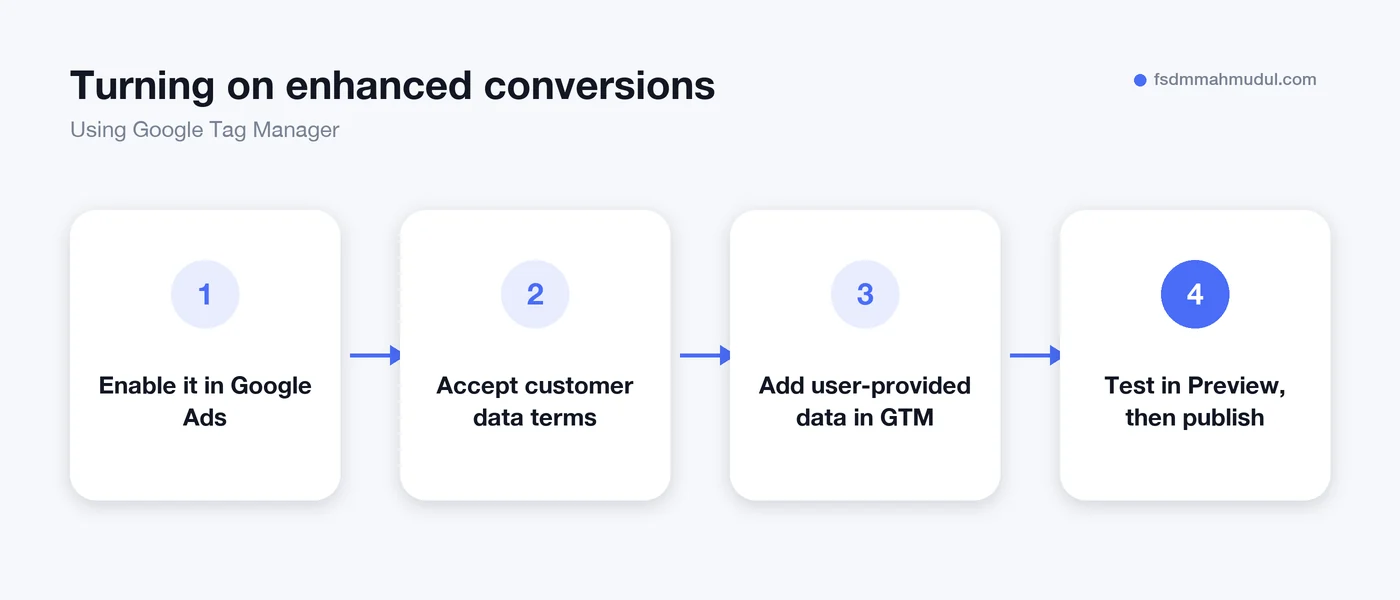
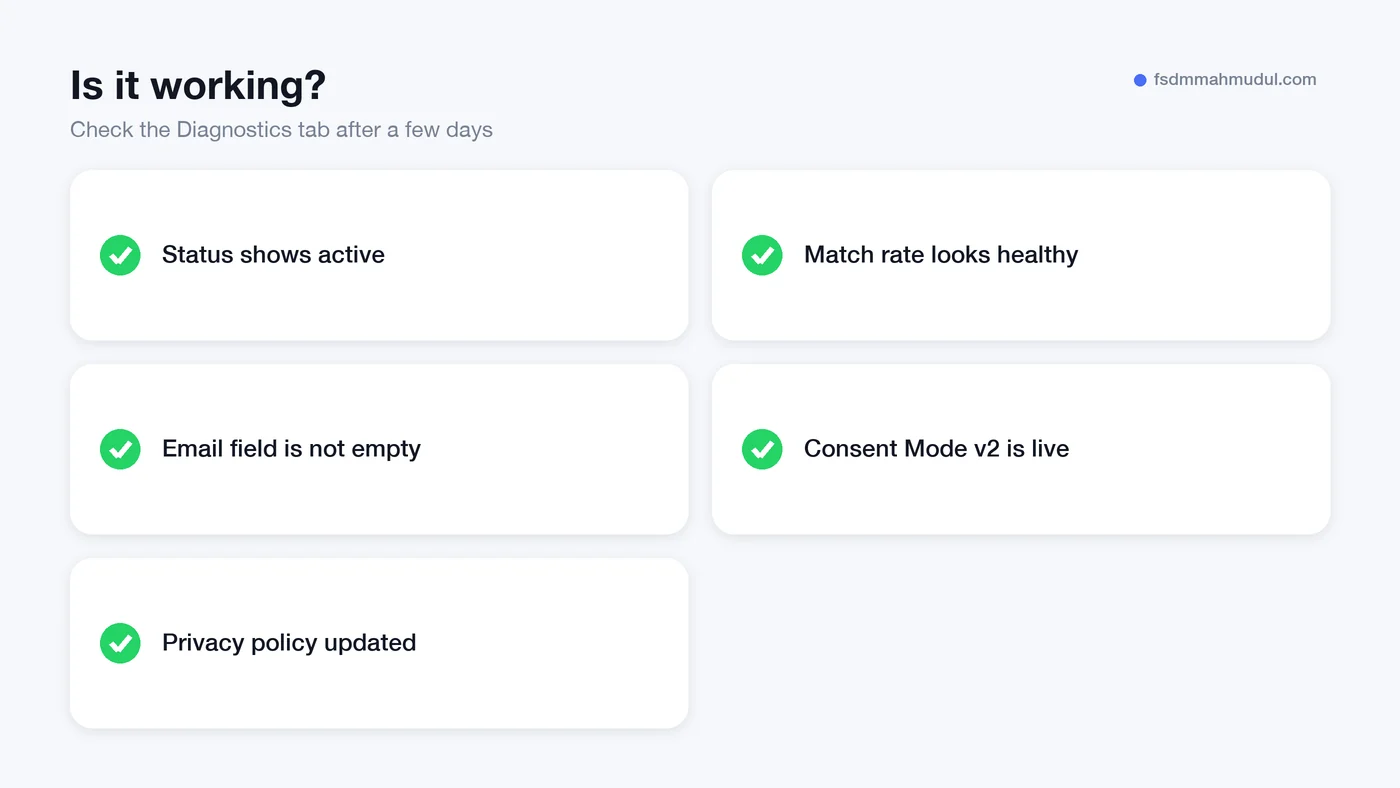
Give it a few days after publishing. Then open the conversion action in Google Ads and look at the Diagnostics tab.
You want to see enhanced conversions marked as active and a healthy match rate. If Google shows warnings, they usually point to missing data, badly formatted emails or a tag that fires before the data is ready.
No. They add to it. Your normal conversion tag still does the main work, and enhanced conversions help Google match the sales that cookies miss.
With the Google tag, the data is hashed in the browser with SHA-256 before it is sent. Google uses the hashed value only for matching and measurement under its customer data terms. You still need to tell customers about it in your privacy policy.
Diagnostics usually take a few days to show a status after you publish. Any change in reported conversions builds up over the following weeks as more orders come in. Avoid changing bids or budgets based on the first few days.
They do different jobs. The Meta Conversions API helps Meta match sales to Meta ads, while enhanced conversions help Google Ads. If you advertise on both, it is worth setting up both.
Enhanced conversions are a small change with a real effect on how well Google understands your sales. The setup is quick, but the details around data, consent and testing are where it goes wrong.
You can see how we approach it in our enhanced conversions work in the portfolio. If you would like our team to check your setup, request a free tracking audit and we will tell you what is missing.
We can review your current setup and show which issue should be addressed first.
Get My Free AuditHere are answers to the questions people ask us most. Can't find yours? Message us and we usually reply within an hour.

We review your campaigns, tracking or conversion journey, then show you the main issue limiting performance, its business impact and a practical next step.
Yes. Most clients start from $1,000 a month in ad spend. We will tell you honestly if your budget is too small.
A dedicated specialist from our team runs your account day to day, and Mahmudul oversees the strategy and reviews the results. You always have one point of contact, so you never have to chase anyone.
No. Work is month to month and you can cancel any time.
Always. Your accounts, campaigns and tracking stay yours, even if we stop working together.
Wasted spend usually drops in the first 2 weeks. Steady growth shows by month 2 or 3.
Clients in Bangladesh, the US, UK, Canada, Australia and Europe. Our team works across time zones.
Request a free audit or message us on WhatsApp. We confirm the audit is a good fit, share our findings or invite you to a review, then agree the next step with Mahmudul.
Yes. Our tracking specialist checks that every sale, lead and call is counted correctly, because good ads need good data.
Yes. We send clear, simple notes your developer can follow, or our own developer makes the changes for you.
With a team. Mahmudul leads a small group of specialists in ads, tracking, page design and website development. Each person works on what they know best, and Mahmudul checks the work before it reaches you. If someone is away, another team member covers for them, so your work never stops.
You get a simple monthly report showing what we spent, what we got back and what we will do next. Mahmudul reviews every report before it is sent.